Download any Videos & Music Anytime, Anywhere With Save From Net
Save From Net is an independent tool and is not affiliated with Instagram, Meta, Facebook, YouTube, TikTok or any other platform. We don’t host any content. Please download only videos you own or have permission to save.
How to Download
Step-1
Find the Video, Reel, or Story you want to download.
Step-2
Tap the three-dot menu and select “Copy link”.
Step-3
Go to Save From Net’s Video downloader online. Paste the copied URL into the input field at the top of the page.
Step-4
Click the download button, choose the format or resolution you prefer, and save the file to your device.
Free online video saver
Keep the videos you love, even when you're offline
Save From Net turns a simple link into a file you can keep. Copy the address of a public video, reel, story or audio clip, paste it into the box above, and pick the quality you want. In a few seconds the file is ready on your phone, tablet or computer.
It runs entirely in your browser, so there's nothing to install and no account to create. Use it to watch tutorials on a flight, keep a backup of your own uploads, or save a clip for a presentation.
No sign-up, no app and no browser extension
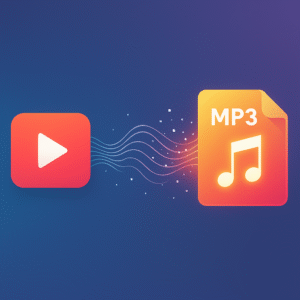
Video in MP4 or WEBM, audio in MP3, M4A and more
Built for mobile first, works on desktop too
Supported sites
One tool for the platforms you use every day
Each platform has its own page with tips that match how that app shares links. Pick the one you need.
Simple on the outside, carefully built on the inside
Quick results
Paste a link and your download options appear in seconds. No waiting rooms, no countdown timers.
Any device
Works in Chrome, Safari, Firefox and Edge on Android, iPhone, Windows, Mac and Linux.
Choose your quality
Pick a lower resolution to save mobile data, or the highest one available for a big screen.
Audio only
Need just the sound from your own recording or a podcast clip? Convert it straight to an audio file.
Private by design
No login and no account. We never ask for your social media password, and we don't host copies of your files.
Free to use
Every feature is free. The site is supported by ads, which keeps the tool running for everyone.
Formats
Pick the file type that fits
The options you see depend on what the original upload offers. If a clip was uploaded in 720p, that is the highest quality available.
Type
Formats
Best for
Video
MP4 (360p, 480p, 720p, 1080p, 1440p), WEBM
Watching offline, editing, sharing with friends
Audio
MP3, M4A, AAC, OPUS, OGG
Listening on the go with small file sizes
Lossless audio
FLAC, WAV
Editing and the best possible sound quality
Images
JPG thumbnails
Video covers, previews and design mock-ups
Device tips
Where to find your file after downloading
Android
Files go to the Downloads folder. Open your Files app or tap the download notification to play it right away.
iPhone and iPad
Use Safari. When the download finishes, open the Files app and look in Downloads. From there you can save a video to Photos.
Windows and Mac
Your browser saves the file to the Downloads folder. Press Ctrl+J (Windows) or Cmd+Option+L (Mac) to open your download list.
Use it responsibly
Respect creators and their work
Videos, music and photos belong to the people who made them. Save From Net is meant for personal, offline viewing of content that is publicly shared, and for backing up your own uploads.
Download only content you own or have permission to save
Don't re-upload other people's videos as your own
Credit the original creator when you share
Private and protected posts are not supported
Are you a rights holder with a concern? Contact us and we'll review it.
FAQ
Frequently asked questions
Is Save From Net free?
Yes. There are no paid plans, sign-ups or download limits. The site is supported by advertising.
Do I need to install an app or extension?
No. Everything happens in your web browser. Just open save-fromnet.net on any device.
Why isn't my link working?
Check that the post is public and the link is complete. Private accounts, deleted posts and some region-locked videos can't be downloaded. Copy the link again from the share menu and try once more.
Can I download private videos?
No. Save From Net only works with content that is publicly available. We never ask for your social media password.
Do you keep the files I download?
No. We don't host or store videos. The file goes straight to your device. See our Privacy Policy for details.
Is it legal to download videos?
It depends on the content and where you live. Saving your own uploads or content you have permission to use is generally fine. Downloading copyrighted material without permission may break the law and the platform's terms. When in doubt, ask the creator.
Independent service disclaimer
Save From Net is not affiliated with, endorsed by or connected to Instagram, Facebook, Meta Platforms, YouTube, Google, TikTok, Snapchat or X. All product names, trademarks and logos belong to their respective owners and are used only to describe which links our tool supports. We do not host any media on our servers.